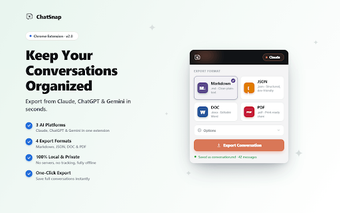
ChatSnap captures and shares complete ChatGPT conversations
ChatSnap, developed by an independent team, is a Chrome extension that simplifies documenting ChatGPT conversations for researchers, educators, developers, and creators. It captures full chat threads into a single high-quality image while offering selective screenshotting and export to PNG or PDF. The tool preserves ChatGPT's layout and provides privacy controls like avatar masking and text blurring. It suits users who regularly archive, publish, or present AI interactions and need consistent, readable exports.
What ChatSnap does for people who document AI conversations
The extension targets long-form ChatGPT capture work, replacing repetitive manual screenshots with automated thread capture. Key capabilities include:
full-thread capture that auto-scrolls to produce a single image
selective screenshotting for chosen segments
export to PNG or PDF
The renderer keeps speaker labels and code blocks aligned for clarity, so outputs are usable for archiving, reporting, or classroom handouts.
How reliably it captures long, scrolling chats
Because the extension is optimized for the ChatGPT layout, it automatically scrolls through extended conversations and composes a continuous image without stitching errors, a problem common to standard screenshot tools. The resulting image preserves message order and formatting, so quoted prompts and model replies remain readable when saved or shared. This behavior reduces post-capture editing for long exchanges.
What privacy and sharing controls it includes
Privacy options let users mask or blur user avatars and selected text before export, limiting sensitive data in shared images. The extension typically performs captures locally, and users should consult the published privacy policy for current data handling details. Quick sharing buttons send captures to social platforms or download them, which simplifies distribution but depends on the user's chosen destination.
Which workflows and environments benefit most from ChatSnap
People who produce documentation, lesson materials, bug reports, or social examples of model output get the most value, because the extension shrinks the capture-to-publish loop. It supports Chrome plus other Chromium-based browsers, matching common desktop setups. The preserved layout and export formats suit situations that require exact visual fidelity of prompts, replies, and inline code for publication or review.
A practical choice for documentation-focused ChatGPT users
ChatSnap is a pragmatic option for researchers, educators, and creators who need reliable, readable records of extended AI conversations. It shortens the steps between capture and publication and fits browser-centered documentation workflows. Users handling sensitive material should review the extension's privacy statement before widespread use. Practical tip: run a short trial capture to confirm output quality and privacy behavior before archiving long threads.
Pros
Produces a single continuous image from long ChatGPT threads
Laws concerning the use of this software vary from country to country. We do not encourage or condone the use of this program if it is in violation of these laws. Softonic may receive a referral fee if you click or buy any of the products featured here.